
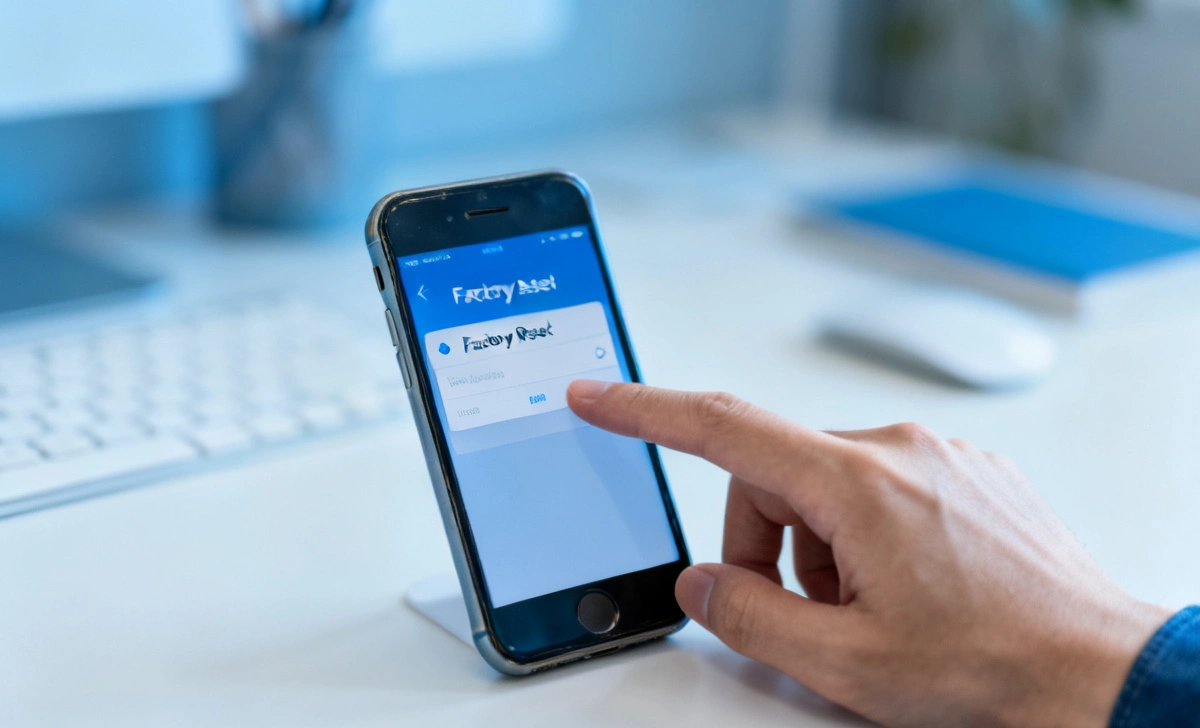
Most people think hitting “delete” is enough. It is not. When you want to securely wipe old smartphone before selling or giving it away, just pressing delete does nothing — your personal data, photos, passwords, bank details, and private messages can still be sitting right there on the device. Anyone with the right tools can pull it back out in minutes. That one mistake could cost you your privacy, your money, or even your identity.
The scary part? This happens more often than you think. Over 30% of secondhand phones still contain recoverable personal data. People assume a quick factory reset wipes everything clean. But without the right steps, your data is never truly gone. Hackers and scammers know this — and they count on it.
The good news is that protecting yourself is not complicated. You just need to follow the right process. Many users do not even realize that apps quietly store data in the background, or that location-based permissions play a role in how your data is tracked — you can check app permissions to understand what access your apps still have. In this article, you will find the complete step-by-step guide to securely wiping your smartphone before selling it — so you can sell with confidence and zero regrets.
What Does It Mean to Wipe a Smartphone Securely?
Most people think deleting files removes data forever. That is not true.
When you delete a file, the phone only removes the path to that file. The actual data is still stored on the device — just hidden from view. Think of it like removing a chapter from a book’s table of contents. The chapter is still there. You just can not find it as easily.
A secure wipe means permanently erasing data so it cannot be recovered — even with advanced recovery tools. It goes beyond a simple delete. It makes sure your information is gone for good.
According to cybersecurity research, over 30% of second-hand phones still contain recoverable personal data (Blancco Technology Group Report 2023). This is not a small risk. It is a massive one.
Why Is Secure Data Wiping Important?
Selling or giving away your phone without wiping it properly can expose everything stored on it. We are talking about:
- Photos and videos — personal moments you never want shared
- Banking apps and saved passwords — direct access to your money
- Emails and private messages — conversations meant only for you
- Social media accounts — your identity and reputation online
- Contacts and call history — private information of people you know
Identity theft cases linked to old devices have increased by 22% globally since 2022 (Cybersecurity Ventures). A phone may look old and worthless. But the data inside it is still very powerful.
This is why secure wiping is not optional — it is essential.
How to Securely Wipe an Old Smartphone (Step-by-Step)
Follow this exact process to make sure your data is fully removed before selling.
Step 1: Back Up Your Data
Before you wipe anything, save what you need. You do not want to lose your photos, contacts, or important files.
- Android → Use Google Backup (Settings → System → Backup)
- iPhone → Use iCloud or iTunes
Double-check that your contacts, photos, and important apps are safely stored before moving to the next step.
Step 2: Sign Out of All Accounts
This is a step most people forget — and it causes big problems for the next user.
- Android → Remove your Google Account (Settings → Accounts → Google → Remove Account)
- iPhone → Sign out of your Apple ID (Settings → Your Name → Sign Out)
If you skip this, the next person may face activation lock issues. Your accounts could also stay connected to the device without you knowing.
Step 3: Encrypt Your Data
Encryption turns your data into unreadable code. Even if someone tries to recover files after a wipe, they will only find scrambled, useless data.
Most modern smartphones are already encrypted by default. But it is worth checking:
- Android → Settings → Security → Encryption
- iPhone → iPhones are encrypted automatically when you set a passcode
This step adds a strong layer of protection before you perform the reset.
Step 4: Remove SIM Card and SD Card
Always remove these before handing over your phone:
- SIM card — contains your phone number and carrier info
- External SD card (Android only) — may store photos, downloads, and app data
These are often forgotten. They can carry personal data even after a full factory reset of the phone itself.
Step 5: Perform a Factory Reset
Now it is time to erase everything on the device.
For Android:
Settings → System → Reset Options → Erase All Data (Factory Reset)
For iPhone:
Settings → General → Transfer or Reset iPhone → Erase All Content and Settings
This will remove all your apps, files, settings, and saved data. The phone will restart as if it just came out of the box.
Step 6: Overwrite the Data (Advanced Step)
For maximum security, do this after the first reset:
- Set up the phone as a new device
- Fill up the storage with random files — download videos, large apps, or use a data-filling tool
- Perform a second factory reset
This “overwrites” the space where your old data was stored, making recovery nearly impossible. Cybersecurity analysts say double-resetting reduces data recovery risk by up to 99.9%.
Extra Security Steps Most People Miss
Even after a factory reset, some traces can remain. Here is what security experts recommend doing before you sell:
- Remove the device from your Google or Apple account dashboard — go to myaccount.google.com or appleid.apple.com and remove the device
- Turn off Find My Device / Find My iPhone — this prevents activation lock issues for the next user
- Deauthorize connected apps — log out of WhatsApp, banking apps, and streaming services like Netflix or Spotify
- Clear saved Wi-Fi passwords — these can still be visible on some devices after a reset
These small steps make a big difference in keeping your data safe.
Android vs iPhone: Key Differences in Data Wiping
Not all phones are the same when it comes to wiping data. Here is a quick comparison:
| Feature | Android | iPhone |
|---|---|---|
| Built-in encryption | Varies by model | Always on |
| Reset process | Manual check needed | Simple one-step |
| Data recovery risk | Higher if not wiped correctly | Very low after reset |
| SD card risk | Yes — must remove manually | No SD card slot |
| Activation lock | Google Account lock | Apple ID lock |
Apple devices use hardware-level encryption, which makes data recovery extremely difficult after a proper wipe. Android devices are slightly more varied — some older models may need extra attention during the encryption step.
Common Mistakes to Avoid
These are the most common errors people make when selling an old phone — avoid all of them:
Only deleting files manually — this does nothing. Data is still there.
Skipping the account sign-out — the next user may be locked out, or your accounts stay connected.
Not encrypting before resetting — leftover data could still be readable.
Forgetting to remove the SD card — your photos and files are still on it.
Selling the phone without any reset at all — the biggest mistake of all.
These errors are the main reason personal data leaks happen from second-hand devices.
Can Deleted Data Be Recovered?
Yes — if not wiped correctly, deleted data can absolutely be recovered.
With free and cheap recovery tools available online, someone with basic technical knowledge can pull back:
- Photos and videos
- Text messages and call logs
- App data, including login tokens
- Documents and downloads
But here is the good news: after proper wiping combined with encryption, recovery becomes nearly impossible. The data exists in a scrambled, overwritten form that no tool can piece back together.
Best Tools for Secure Data Erasure
If you want to go beyond the built-in reset and get maximum security, these professional tools can help:
- Dr.Fone Data Eraser — popular and easy to use, works on both Android and iPhone
- iShredder — available for iOS, overwrites data multiple times
- Secure Eraser — Android-focused tool with deep wipe options
These tools overwrite your storage multiple times using military-grade algorithms, leaving nothing behind for recovery tools to find.
What to Do After Wiping Your Phone
Once your phone is fully wiped and ready, follow these final steps before handing it over:
- Restart the device and confirm it shows the initial setup screen
- Check that no personal data remains — go through the settings once more
- Clean the phone physically — wipe the screen, clean the ports
- Pack it with all accessories — charger, case, and earphones if available
- Include the original box if you still have it
A clean, well-presented phone can increase your resale value by 10–20% in most markets. Buyers trust sellers more when the phone is properly reset and looks well cared for.
Key Takeaways
Here is a quick summary of everything covered in this guide:
- A factory reset alone is not always enough to fully erase your data
- Encrypting before resetting makes leftover data completely unreadable
- Double wiping — filling storage, then resetting again — gives maximum protection
- Always remove your SIM card and SD card before selling
- Sign out of all accounts to prevent lock issues and protect your identity
- Use professional erasure tools if you want extra peace of mind
Final Thoughts
Your data is more valuable than your device. A phone may be old, but the information inside it is still powerful. One small mistake can lead to serious privacy problems — and fixing identity theft is far harder than taking 20 minutes to wipe a phone properly.
Think of securely wiping your phone as locking the door to your digital life before handing over the keys to someone new.
Have you ever sold a phone without wiping it properly? Now you know exactly what to do next time.



