

You’re scrolling through your favorite recipe site, ready to print that chocolate chip cookie recipe (ironic, right?), when—bam. A banner slides up: “We use cookies to enhance your experience.” You click “Accept” without reading it. Again. And again.
If you’re new to digital privacy, you’re not alone. This cookie consent popup explained guide breaks down exactly what’s happening behind that banner—and how to make choices you won’t regret.
What Is a Cookie on a Website? (Simple Explanation)
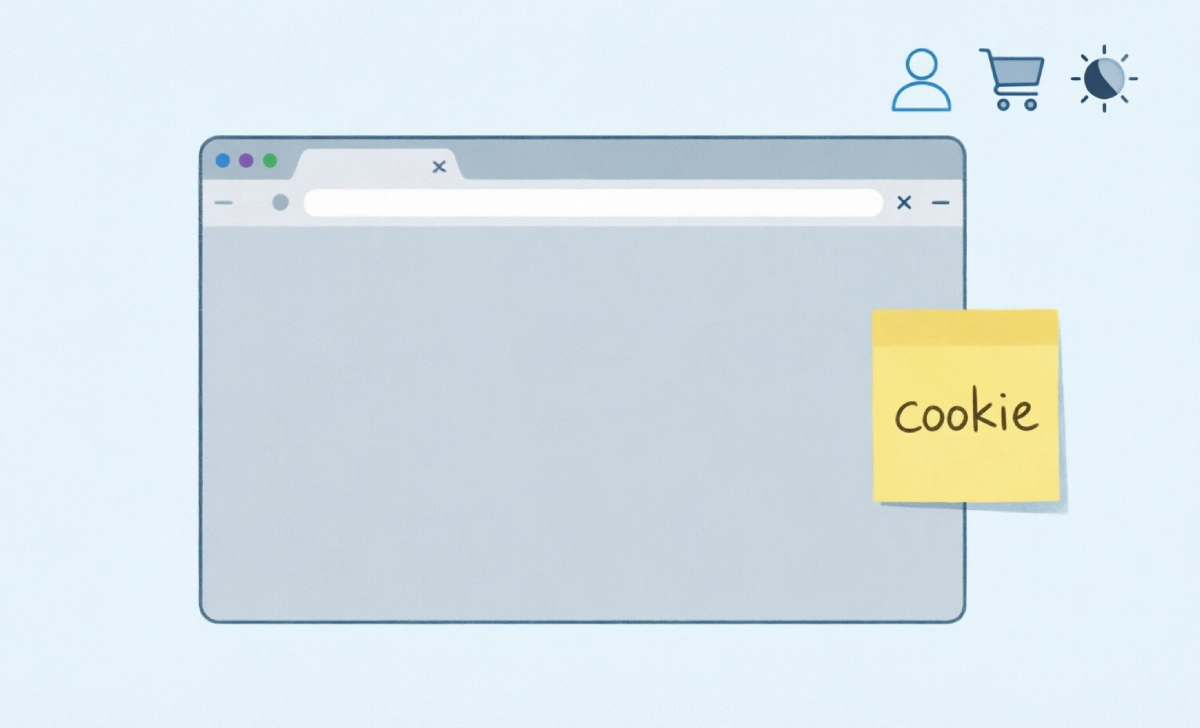
Think of a website cookie like a tiny sticky note a site leaves on your browser. It remembers small details about you—like your login status, what’s in your shopping cart, or that you prefer dark mode.
When you visit a site, your browser saves these notes locally. Next time you’re back, the site reads them. That’s why you stay logged in, or why your cart doesn’t empty between visits.
There are two main types you’ll hear about:
- Session cookies: Temporary notes that vanish when you close your browser. Useful for keeping you logged in during a single visit.
- Persistent cookies: Stick around for days, weeks, or months. They remember your preferences long-term.
And here’s where it gets interesting: not all cookies are created equal. First-party cookies come from the site you’re visiting. Third-party cookies? Those are from advertisers or analytics tools embedded on the page. That distinction matters a lot when explaining privacy basics.
Why Do Cookie Popups Keep Appearing? The Real Reason
You’ve probably noticed these banners exploded around 2018. That’s no coincidence.
The GDPR (General Data Protection Regulation) kicked in across Europe that year, giving people real control over their data. Sites that want to serve EU visitors—and let’s be honest, most do—have to ask permission before dropping non-essential cookies.
If you’re wondering about the cookie pop-up’s meaning and purpose, it really comes down to legal compliance and transparency. It’s not just Europe anymore. California’s CCPA, Brazil’s LGPD, and other laws followed suit. So even if you’re in Kansas or Kuala Lumpur, you’re seeing these popups because it’s simpler for companies to show them globally than to geofence every visitor.
Here’s the thing: sites have to ask about tracking cookies. But they don’t need permission for “essential” ones—the sticky notes that keep the site functioning. That’s why you can’t always reject everything. Some cookies are like the electrical wiring; the house won’t work without them.
Are Website Cookies Safe to Accept?
Short answer: usually, yes. But “usually” isn’t the same as “always.”
Most first-party cookies are harmless. They’re just helping the site remember you. The concern comes with third-party tracking cookies, which can follow you across dozens of sites to build a profile of your habits.
So how do you spot the difference? A trustworthy cookie banner will:
- Let you “Reject All” as easily as “Accept All” (no dark patterns)
- Clearly separate essential vs. optional cookies
- Link to a plain-language privacy policy
- Remember your choice for a reasonable time (don’t ask you every single visit)
If a pop-up deliberately makes it confusing to say no, or hides the reject button in three sub-menus? That’s a red flag. Trust your gut.
What Happens If You Don’t Accept Cookies?
This is the question everyone whispers as they hover over that “Reject” button. Will the site break? Will you miss out?
Most of the time, nothing dramatic happens. You’ll still be able to read articles, watch videos, or browse products. But you might notice:
- You get logged out more often (session cookies aren’t saved)
- Recommendations feel less personalized (“Wait, how did they know I like hiking gear?”)
- Ads might repeat more often (since the site can’t remember you’ve already seen them)
On some sites, refusing non-essential cookies might limit features—like saving items to a wishlist or seeing location-based content. But core functionality? That should still work.
Truth is, saying “no” is a valid choice. You’re not breaking the internet. You’re just opting out of tracking.
Can Websites Track You If You Reject Cookies?
Here’s where it gets a little nuanced.
Rejecting cookies blocks cookie-based tracking. That’s a big win. But it’s not a magic invisibility cloak. Sites can still see your IP address, browser type, screen size, and other technical details—a practice called “fingerprinting.”
That said, fingerprinting is harder to scale and less precise than cookie tracking. And major browsers are adding protections against it. So while rejecting cookies isn’t 100% anonymous, it significantly raises the barrier.
If you want to go further and stop apps tracking:
- Use privacy-focused browsers like Firefox or Brave
- Enable “Do Not Track” in settings (not foolproof, but it helps)
- Consider extensions like uBlock Origin or Privacy Badger
Small steps add up.
Quick Checklist: How to Handle Cookie Popups Like a Pro
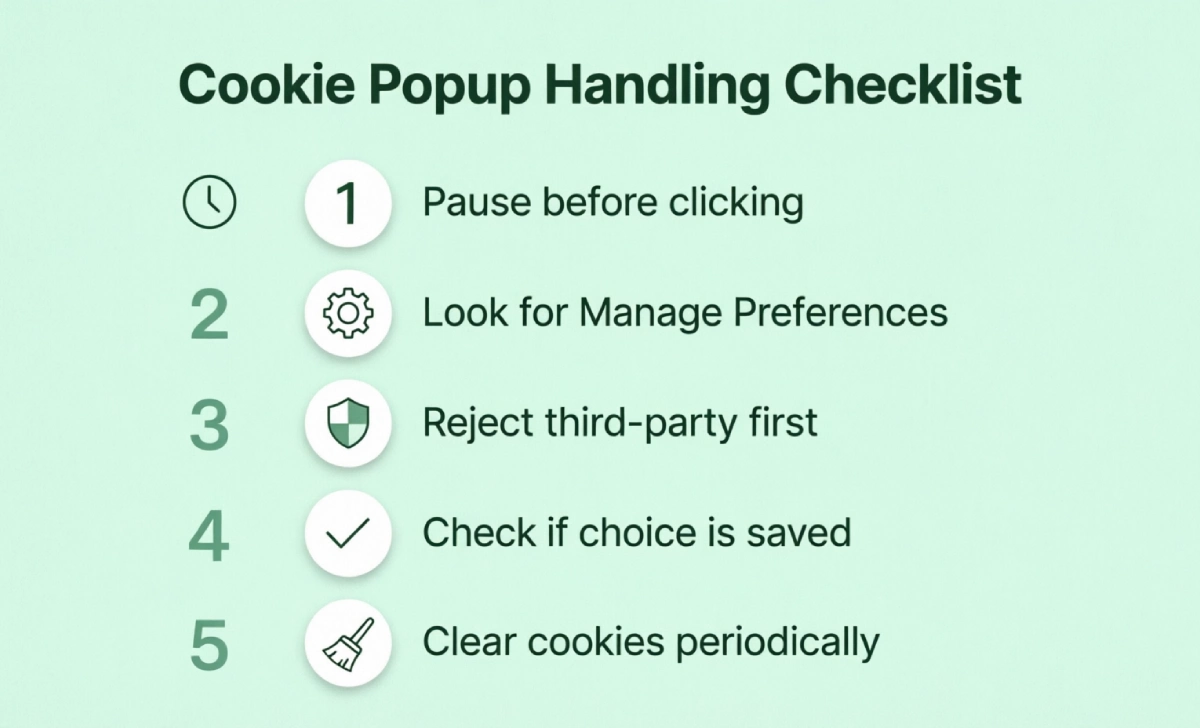
Next time a banner pops up, try this:
- Pause before clicking. Seriously, take two seconds. What are you agreeing to?
- Look for “Manage Preferences” or “Customize”. This is where you can deselect non-essential cookies while keeping the site functional.
- Reject third-party cookies first. If you’re short on time, this is the highest-impact move.
- Check if your choice is saved. If you keep getting asked on the same site, their banner might not respect your decision.
- Clear cookies periodically. In your browser settings, a quick cleanup every few months keeps things tidy.
- Watch for pressure tactics—spot suspicious prompts before you click.
Quick self-check: Do you click ‘Accept’ out of habit, ‘Reject’ on principle, or actually scroll through preferences? Whatever your style, step 3 in the checklist will keep you covered without slowing you down.
And if you’re on mobile? The process is similar, but the buttons can be smaller. Zoom in if you need to. Your privacy is worth the extra tap.
FAQs
Do I have to accept cookies to use a website?
No. Sites can require essential cookies for functionality, but they can’t force you to accept tracking cookies. If a site blocks access entirely when you reject non-essential cookies, that’s a compliance gray area in many regions.
Why do some pop-ups disappear after I click, but others keep coming back?
If a site uses a persistent cookie to remember your choice, you’ll only see the banner once. If they don’t—or if you clear your cookies regularly—you’ll keep getting asked. Some sites also reset after a set period (like 6–12 months) to reconfirm your preference.
Are “essential cookies” really essential?
Mostly, yes. These handle things like keeping you logged in during a session, remembering items in your cart, or maintaining security tokens. But some sites stretch the definition. If a “necessary” cookie seems to be for analytics or ads, that’s worth questioning.
Wrapping Up: Browse on Your Terms
Cookie popups aren’t going away—and honestly, that’s a good thing. They’re a reminder that your data has value, and that you get a say in how it’s used.
You don’t need to become a privacy expert overnight. Start small: next time a banner appears, keep data secure by clicking “Manage Preferences” instead of “Accept All.” See what options you have. Tweak one setting. That’s progress.
Your browsing experience, your rules. That’s how the web should work.