
Every month, millions of people look at their electricity bill and wonder where all the money is going. We try small tricks — unplugging chargers, switching off lights, and yes, turning off the Wi-Fi router before bed. It feels like the right thing to do. But what if one of the most common energy-saving habits is barely making a difference at all?
The truth is, most people overestimate how much power their router actually uses. Many believe that turning off WiFi at night saves a significant amount of money — but in reality, it costs you less than a cup of coffee per month. The real energy drains in your home are hiding somewhere else — and they are much bigger.
In this article, you will find out exactly how much power your router uses, how much money turning it off actually saves, and — most importantly — where you should really be focusing your energy-saving efforts. If you want to lower your electricity bill, this complete guide will show you the right path.
How Much Power Does a Wi-Fi Router Actually Use?
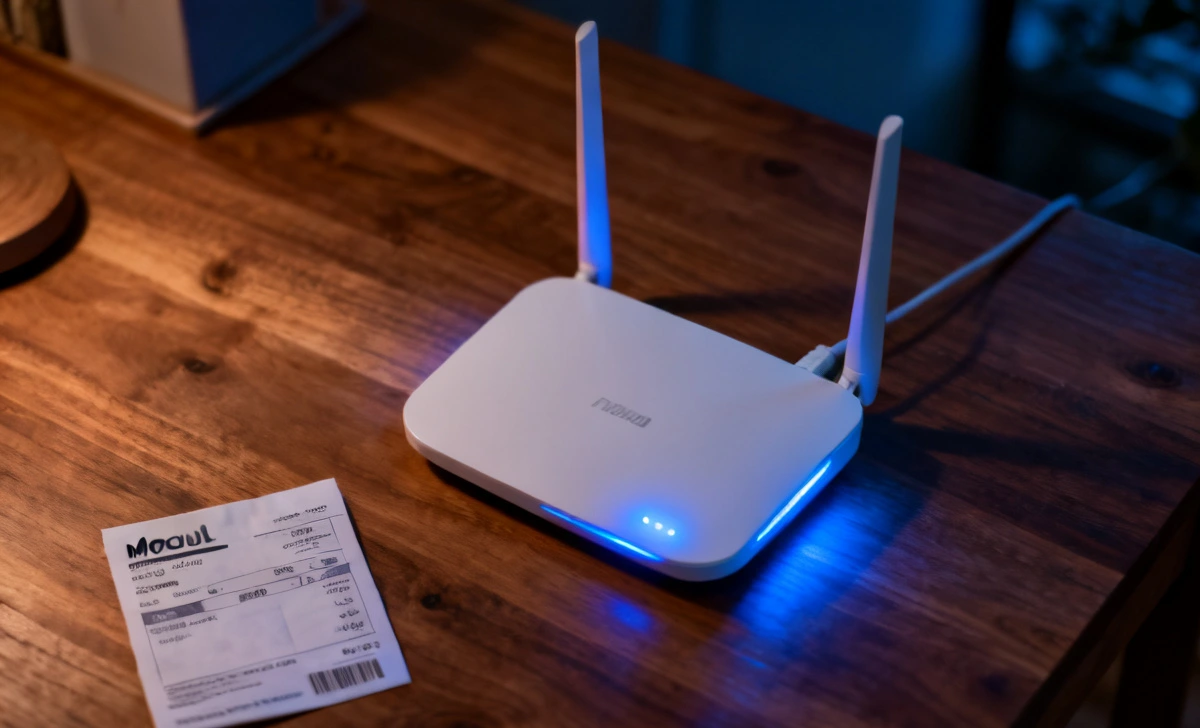
Most home Wi-Fi routers use between 5 and 15 watts of power during normal operation. That is less than a standard LED light bulb. Even high-end routers with advanced features rarely go above 20 watts.
To put this into perspective, here is how routers compare with other common household devices:
| Device | Power Usage |
|---|---|
| LED light bulb | 8–12 watts |
| Wi-Fi router | 5–15 watts |
| Laptop charger | 50–100 watts |
| Refrigerator | 100–400 watts |
| Air conditioner | 1,000+ watts |
This comparison shows one thing clearly: your router is already one of the most energy-efficient devices in your home. It was designed to run 24 hours a day, 7 days a week, and manufacturers have built it to do so with minimal power consumption.
So before you reach for the power button every night, it is worth asking — how much are you actually saving?
What Happens When You Turn Off Wi-Fi at Night?
When you switch off your router for 6 to 8 hours overnight, you temporarily stop the small power draw. The math seems simple enough.
Let us say your router uses 10 watts of power:
- 10 watts × 8 hours = 80 watt-hours (0.08 kWh) saved per night
Over a full month, that becomes:
- 0.08 kWh × 30 days = 2.4 kWh saved per month
That is the total energy you save by turning off your router every single night for a month. Sounds reasonable so far — but let us look at what that actually means for your wallet.
Real Energy Savings: Numbers That Matter
Electricity costs vary by country and region, but let us use a common average to calculate real savings.
- Average electricity price: $0.12 per kWh
Monthly savings:
- 2.4 kWh × $0.12 = $0.29 per month
Yearly savings:
- About $3 to $5 per year
Even in regions with higher electricity prices, the annual savings from turning off your Wi-Fi at night rarely exceed $10. That is the reality most people never expect when they start this habit.
For context, a single degree adjustment on your air conditioner thermostat can save more than this in just one week. The numbers do not add up in favour of the router switch-off routine.
It is also worth noting that some scams try to sell people on fake “energy-saving devices” or mislead them about home power usage — always verify claims through reliable sources. You can learn more about spotting tech-related scams to protect yourself online.
Why the Savings Are Smaller Than You Think
There are three main reasons why turning off your router does not save as much energy as people expect.
1. Routers Are Designed to Be Efficient
Modern routers use energy-efficient chipsets that have been optimised over many years. Leading brands engineer their products for continuous 24/7 operation at the lowest possible power draw. The technology inside a router today is far more efficient than it was even five years ago.
2. Constant Power Draw Is Very Low
Unlike appliances such as air conditioners or washing machines that use large bursts of energy, routers draw a small, steady amount of power. There is no high-energy startup cycle, no heating element, and no motor. The power consumption stays flat whether the router is busy or sitting idle.
3. Standby vs Active Usage Is Very Similar
One of the biggest surprises for people is that routers do not use significantly less power when idle compared to when they are actively sending data. The difference between a router streaming a 4K video and a router sitting idle at 2 am is only a few watts at most. So even during the hours you think you are saving power, the router is already drawing close to its minimum.
Better Ways to Save Energy at Home
If your real goal is to reduce your electricity bill, the smartest move is to focus on high-power devices. Here is where the big savings actually are.
1. Air Conditioning and Heating
Heating and cooling systems are by far the largest energy consumers in most homes. Adjusting your thermostat by just 1 to 2 degrees Celsius can reduce your energy consumption by up to 10%. This single change can save you more in one month than turning off your router does in an entire year.
2. Refrigerators
An old or inefficient refrigerator can consume between 300 and 800 kWh per year. Upgrading to a modern energy-efficient model, or simply cleaning the coils on your current fridge, can produce savings that are 100 times greater than anything you will get from your router.
3. Electric Water Heaters
Electric water heaters are silent but expensive. They can easily add $20 to $50 to your monthly electricity bill. Installing a timer so your heater only operates during peak usage hours can deliver significant savings with minimal effort.
4. Standby Electronics
Televisions, gaming consoles, desktop computers, and sound systems left on standby can collectively waste between 50 and 100 watts continuously. That adds up to far more than your router ever could. Plugging these into a smart power strip and switching them off properly at night is a much more impactful habit.
Should You Still Turn Off Your Wi-Fi at Night?
The answer depends entirely on your personal situation and goals.
Turn off your Wi-Fi at night if:
- You want even a small reduction in your electricity bill
- You prefer to limit wireless signal exposure in your home overnight
- No one in your household needs internet access during those hours
Keep your Wi-Fi on if:
- You use smart home devices that rely on a constant connection
- Your phone or computer runs automatic updates and backups overnight
- You have family members or housemates who work or study at night
- You want convenience without having to reconnect every morning
There is no strong financial reason to make this a strict nightly habit. The savings are real but minimal. The decision ultimately comes down to personal preference rather than meaningful energy conservation.
Key Takeaways
- A Wi-Fi router uses very little electricity — typically 5 to 15 watts
- Turning it off every night saves less than $5 per year in most cases
- The impact on your electricity bill is almost negligible
- Air conditioning, refrigerators, and water heaters offer 10x to 100x more savings potential
- Smart habits with high-power appliances will always deliver far greater results
Final Thoughts
Not all energy-saving tips are created equal. Small devices like Wi-Fi routers feel important because they are always on, always visible, and easy to control. But feeling like a smart energy habit and actually being one are two different things.
If you are serious about cutting your electricity costs, start with the appliances that draw the most power. One smart adjustment to your heating or cooling system can save you more in a single month than a full year of switching off your router every night.



