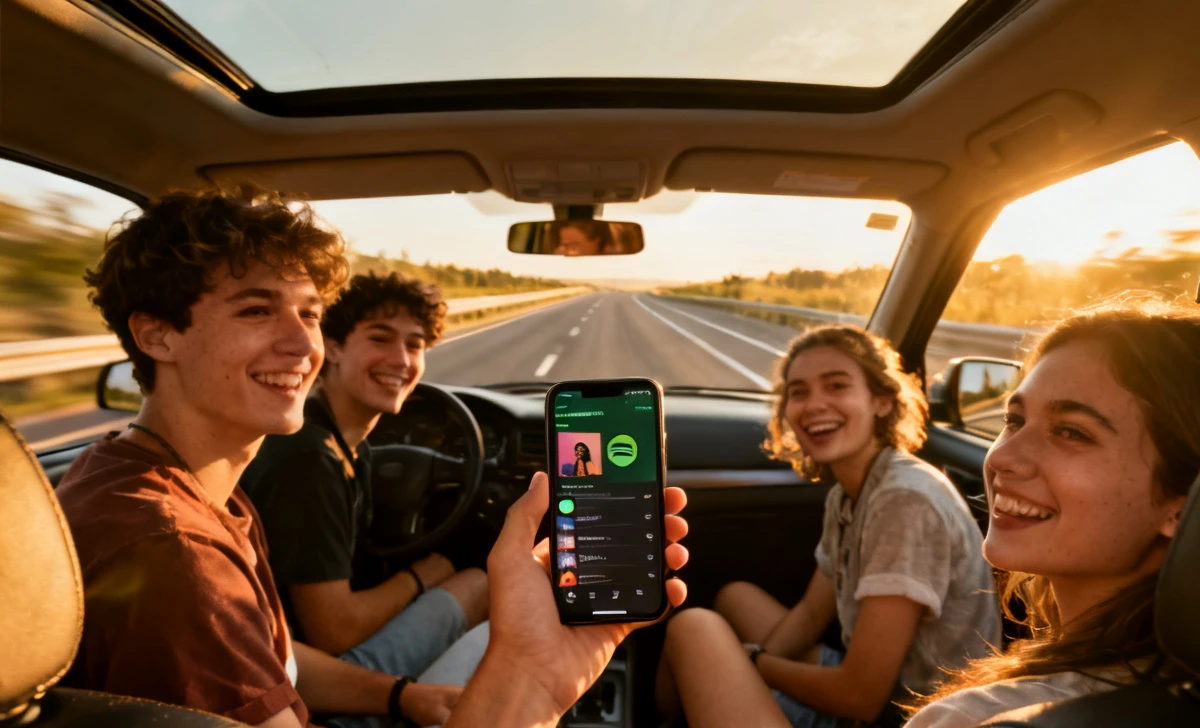
Every road trip starts with excitement. But 20 minutes in, someone skips your favorite song — and the argument begins. Music disagreements are one of the top reasons group trips turn tense fast.
A shared playlist road trip is the smartest fix. It gives everyone a voice, keeps the mood high, and turns the drive into a real group experience. The right tools make setup easy — even for non-tech-savvy travelers.
In this guide, you will learn how to create a shared playlist for a road trip, the best tools to use, and simple rules to keep everyone happy.
What Is a Shared Playlist for a Road Trip?
A shared playlist is a music list that multiple people can add songs to, edit, or follow — all from their own devices.
Unlike a personal playlist, it belongs to the whole group. Everyone contributes. Everyone listens.
For road trips, this matters because:
- Long drives need variety
- One person’s taste rarely fits an entire group
- It removes the stress from a single “DJ.”
A good shared playlist keeps energy up, avoids conflict, and makes the drive part of the trip — not just the getting-there part.
Why Should You Create a Collaborative Playlist with Friends?
Music is powerful. According to Spotify, users spend over 30 minutes per day listening to playlists. On a road trip, that number jumps dramatically.
Here is why a collaborative playlist is worth it:
- Avoid arguments — No one feels unheard when everyone adds songs
- Everyone feels included — Even the quiet friend who loves indie folk gets their moment
- Better travel experience — The right song at the right time creates real memories
- Less pressure on one person — You share the responsibility of keeping the vibe right
Just like planning a virtual watch party with friends, a shared playlist is about bringing people together through a common experience — even when tastes differ.
Best Tools to Create a Shared Playlist
Spotify Collaborative Playlist
Spotify is the most popular option for shared playlists.
- Any user can create a collaborative playlist in seconds
- Friends join via a shared link — no account sync needed
- Works on iOS, Android, desktop, and smart speakers
- Free users can add songs, but shuffle is limited
- Premium users get full control and offline downloads
Best for groups who already use Spotify.
Apple Music Shared Playlist
Apple Music added shared playlists in iOS 16.3.
- You can invite up to 100 collaborators
- Collaborators must have an Apple Music subscription
- Works only within the Apple ecosystem (iPhone, Mac, iPad)
- Emoji reactions let people vote on songs
Best for all iPhone groups with active Apple Music subscriptions.
YouTube & Other Free Options
YouTube Music allows playlist sharing, but collaboration is limited.
- Anyone with the link can view; only the creator can add songs
- Free and widely available
- Great as a backup or for groups without paid subscriptions
Other free options include:
- SoundCloud — Good for indie and underground music
- Tidal — High audio quality, collaborative features for HiFi subscribers
- Amazon Music — Works with Alexa-enabled car systems
Expert tip: Travel planners recommend assigning one moderator to manage the playlist and remove duplicates before the trip begins.
How to Create a Shared Playlist (Step-by-Step)
On Spotify (Step-by-Step)
- Open the Spotify app on your phone or desktop
- Tap Your Library in the bottom menu
- Tap the “+” icon to create a new playlist
- Name your playlist (e.g., “Road Trip 2025”)
- Tap the three dots (…) next to the playlist name
- Select “Invite Collaborators”
- Share the link via WhatsApp, text, or email
- Friends tap the link and start adding songs immediately
On Apple Music
- Open the Music app on iPhone (iOS 16.3 or later)
- Go to Library → Playlists
- Tap New Playlist and give it a name
- Tap the person icon at the top right
- Select “Collaborate” and turn on sharing
- Share the link with friends
- Collaborators must accept the invite to add songs
Sharing the Playlist Link
- Copy the playlist link from Spotify or Apple Music
- Share it in your group chat (WhatsApp, iMessage, Telegram)
- Set a deadline — ask everyone to add songs 24 hours before the trip
- Pin the link in your group so nobody loses it
Rules for a Perfect Road Trip Playlist
Set ground rules before anyone adds a single song. It avoids chaos later.
- Keep songs under 5–6 minutes — Long tracks kill the energy flow
- No duplicates — Check before adding; duplicates waste time and space
- Respect group taste — One person’s heavy metal is another’s headache
- Avoid overly explicit content if kids or sensitive listeners are in the car
- Limit songs per person — Cap it at 10–15 songs each for fairness
- No back-to-back sad songs — Road trips need momentum
Simple rules. Big difference.
How Many Songs Should a Road Trip Playlist Have?
A good rule: 1 song = roughly 3–4 minutes.
Use this as your guide:
| Trip Length | Estimated Songs |
|---|---|
| 2–3 hours | 35–50 songs |
| 4–6 hours | 60–100 songs |
| 8–10 hours | 130–160 songs |
| Full day | 180–200 songs |
Always add 20% extra — stops, detours, and replays happen.
For a weekend road trip (around 6 hours of driving), aim for 80–90 songs across a mix of genres.
Tips to Make Your Playlist More Fun
A great playlist is more than just songs. It has flow, energy, and personality.
- Mix genres — Alternate between pop, hip-hop, rock, and classic hits
- Add throwbacks — A 90s or early 2000s song always gets a reaction
- Include sing-along songs — These create the best road trip moments
- Rotate who adds songs — Give each person a “round” to pick their top 3
- Create a “hype section” — Save your most energetic songs for late-night stretches
- Start with a banger — The first song sets the whole tone of the trip
Unique insight: Most groups forget to download the playlist offline before leaving. This causes complete silence during long highway stretches with a poor signal.
Common Mistakes to Avoid
Even great planners get this wrong. Watch out for:
- One person dominating — If one friend adds 50 of 80 songs, it stops being shared
- Adding too many slow songs — A few are fine; a block of them kills the vibe
- No offline plan — Streaming in the mountains without signal = dead silence
- Forgetting volume-heavy songs — Ear-blasting tracks after mellow ones feel jarring
- Skipping the pre-trip review — Always listen through the playlist once before leaving
Plan. It takes 20 minutes and saves hours of frustration.
What to Do If the Internet Doesn’t Work on the Road
Connectivity drops. It happens on almost every long road trip.
Download the playlist before you leave:
- Spotify Premium — Tap the download toggle on any playlist
- Apple Music — Long-press a playlist and select “Download.”
- Save at least 500MB–1GB of space on your device
Backup options:
- USB drive — Convert your playlist to MP3 files and plug it into the car’s USB port
- Bluetooth speaker + offline app — Works without a car system
- Local files — Transfer songs to your phone’s local storage using apps like VLC
- SD card — Many Android devices support expandable storage for music
Always have a backup. Do not rely on data alone on remote roads.
Key Takeaways — How to Build the Perfect Group Playlist
- A shared playlist gives everyone a voice and removes music conflict
- Spotify is the easiest option; Apple Music works best for iPhone-only groups
- Set rules early — song limits, no duplicates, respect for group taste
- For a 4–6 hour trip, aim for 60–100 songs
- Always download offline before leaving — signal drops without warning
- Mix genres, include throwbacks, and rotate who adds songs
- Assign a moderator to keep the playlist balanced and drama-free
Conclusion
Music shapes how a trip feels. The right song on an open highway is a memory you carry for years. A shared playlist is not just convenient — it is a way of traveling together, even when you disagree on everything else.
The groups that plan their music always have better trips. That is not a coincidence.
Now it is your turn. Open Spotify or Apple Music, create that playlist, and share the link in your group chat tonight.