
You’ve probably seen the ads. A hooded hacker typing furiously, red warning flashes, then—poof—a green shield appears. “Stay safe with a VPN!” it says. But here’s the thing: if you’re wondering about realistic VPN protection expectations in 2026, you’re already ahead of most people. Because the truth? A VPN isn’t a magic force field. It’s a specific tool for specific jobs. And knowing exactly what it can—and can’t—do for you is the difference between feeling secure, taking smart steps like checking data breaches, and just feeling sold to.
So let’s cut through the noise. No hype, no jargon. Just straight talk about what a VPN actually protects, where it falls short, and how to use it wisely right now.
What a VPN Does (and Doesn’t) Protect
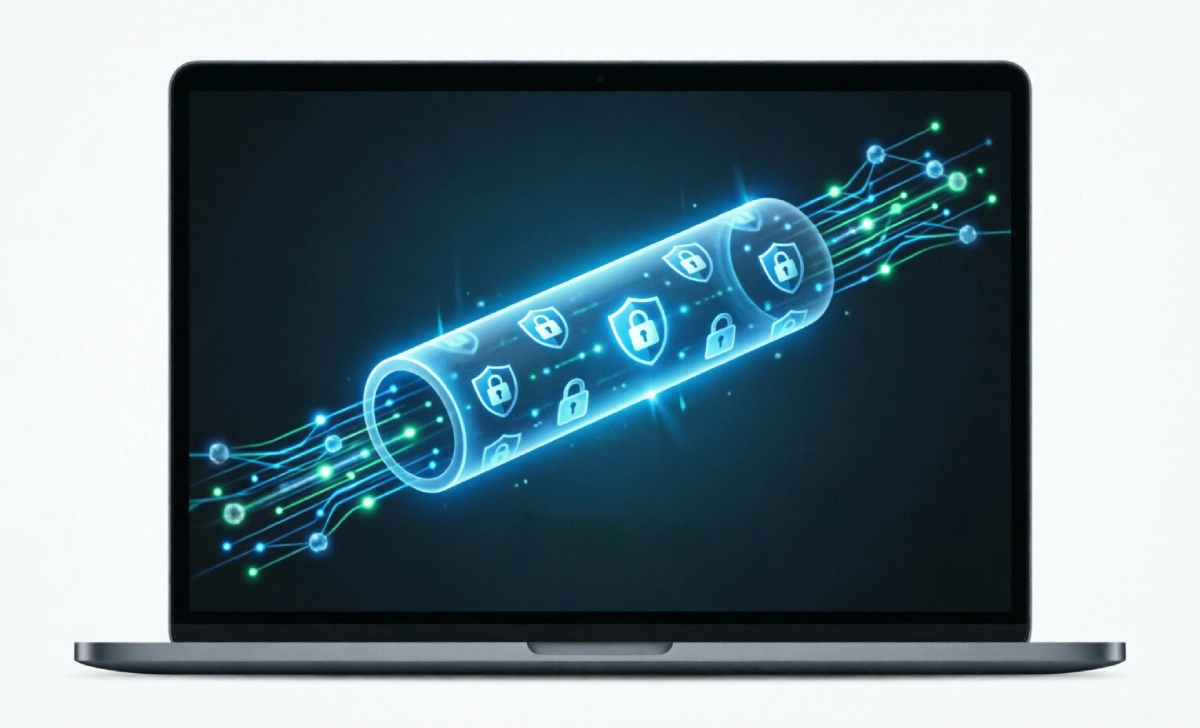
Think of a VPN like a private tunnel for your internet traffic. When you turn it on, your data gets encrypted (scrambled) and routed through a server somewhere else. That’s it. That’s the core job.
So what can a vpn actually protect? Mostly, it shields your data while it’s traveling between your device and the internet. It hides your browsing activity from your Internet Service Provider (ISP). It makes your connection look like it’s coming from the VPN server’s location, not your home. And on sketchy public Wi-Fi? That encryption is a lifesaver.
But—and this is a big but—it doesn’t protect what happens before your data enters that tunnel or after it leaves. If you download a virus, a VPN won’t stop it. If you log into Facebook, Facebook still knows it’s you. A VPN protects the pipe, not the water flowing through it.
How VPN Encryption Actually Works to Protect You
Protecting Data on Public Wi-Fi
Picture this: you’re at a café, laptop open, ordering a latte. The free Wi-Fi password is written on a chalkboard. Convenient, right? Also, potentially risky. On an open network, anyone with basic tools could snoop on unencrypted traffic—like old-school HTTP sites or poorly secured apps.
Turn on a VPN, and that snooping hits a wall. Your traffic is encrypted end-to-end between your device and the VPN server. Even if someone intercepts it, they see gibberish. Does vpn protect from hackers on public Wi-Fi? For network-level eavesdropping, yes—absolutely. It’s one of the strongest, most practical use cases.
Hiding Browsing from Your ISP
Your ISP can see every website you visit (unless it’s HTTPS, where they see the domain but not the full page). In many places, they can sell that browsing data to advertisers. A VPN masks that. Your ISP sees a connection to a VPN server, and that’s it. The rest is hidden.
Now, does that make you anonymous? Not quite. But it does add a meaningful layer of privacy against routine data collection. With new state privacy laws rolling out in 2024–2026, the ISP buffer a VPN provides is becoming more relevant—not less.
What a VPN Cannot Protect You From (Critical Limitations)
This is where realistic vpn protection expectations really matter. A VPN is powerful, but it’s not a catch-all. Let’s be clear about the gaps.
Malware, Phishing, and Device-Level Threats
If you click a phishing link and enter your password on a fake site, a VPN won’t save you. If you download a malicious file, your VPN won’t quarantine it. That’s antivirus and antimalware territory. Think of it like this: a VPN locks the front door of your data’s journey. It doesn’t stop you from accidentally inviting a burglar inside.
Tracking via Cookies, Logins, and Browser Fingerprinting
Logged into Google? Google knows what you search, VPN or not. Websites can still track you via cookies, login sessions, or sophisticated browser fingerprinting (analyzing your screen size, fonts, plugins, etc.). A VPN changes your IP address, but it doesn’t wipe your digital footprint across sites. For that, you’d need privacy-focused browsers, tracker blockers, and mindful login habits. And no, incognito mode doesn’t provide the privacy boost many people think it does.
Real-World Scenarios: When VPN Protection Matters Most
Traveling or Using Public Networks
Heading abroad? Some countries restrict access to certain sites. A VPN can help you reach familiar services by making your traffic appear to originate elsewhere. More importantly, hotel and airport Wi-Fi are notorious for weak security. That’s a perfect moment to flip the VPN switch.
Avoiding Basic ISP Data Collection
Maybe you don’t want your ISP knowing you’re researching sensitive health topics, job hunting, or just binge-watching that guilty-pleasure show. A VPN adds a buffer. It won’t make you invisible, but it does disrupt the default data trail.
VPN vs. Other Security Tools: Building Layered Protection
Why You Still Need Antivirus and a Password Manager
I call this the “VPN Protection Matrix”—a quick way to sort threats into three buckets: network-level (where VPNs shine), device-level (where they don’t), and behavior-level (where habits matter most). Here’s how it breaks down:
Network-Level Threats
| Threat | VPN Helps? | Notes |
|---|---|---|
| Snooping on public Wi-Fi | Yes | Encrypts traffic in transit |
| ISP tracking browsing history | Yes | Masks domains visited |
Behavior-Level Threats
| Threat | VPN Helps? | Notes |
|---|---|---|
| Cookie-based ad tracking | Partially | IP changes help, but logins still track you |
| Account takeovers | No | Use strong passwords + 2FA instead |
Device-Level Threats
| Threat | VPN Helps? | What You Actually Need |
|---|---|---|
| Malware or ransomware | No | Antivirus/antimalware software |
| Phishing scams | No | Email filters + skepticism |
A VPN is one piece of a smarter security setup. Pair it with a good password manager, enable two-factor authentication everywhere, and keep your software updated. That’s how you build real resilience. If you’re concerned about apps following your movements, learning how to stop app location tracking is a smarter first step.
Bottom Line: Setting Smart Expectations for VPN Privacy
So what should you realistically expect from a VPN in 2026? A VPN is excellent at protecting your data in transit and adding privacy against network-level observers. It’s not a substitute for safe browsing habits, strong passwords, or device security.
If you’re using one to safely check email at a coffee shop, avoid basic ISP profiling, or access region-locked content while traveling—you’re using it exactly right. If you expect it to make you completely anonymous or stop every online threat? That’s where disappointment sets in.
Start with your actual needs. Pick a reputable, no-logs VPN provider (do a little research—don’t just grab the cheapest). Turn it on when it adds value. And keep the rest of your digital hygiene in check. Remember, even with GPS off, there are still phone tracking methods to be aware of. That’s how you get real protection, not just marketing promises.
FAQs
Does a VPN stop my ISP from seeing everything I do?
It hides the specific pages you visit and encrypts your traffic, so your ISP sees only that you’re connected to a VPN server—not the sites or content afterward. But they can still see connection times and data volume.
Can a VPN protect me from hackers stealing my passwords?
Only if the hacker is intercepting your network traffic (like on public Wi-Fi). If you reuse passwords or fall for a phishing scam, a VPN won’t help. That’s where password managers and 2FA come in.
Will a VPN slow down my internet?
Sometimes, yes. Encryption and rerouting add a small overhead. Good providers minimize this, but if you’re gaming or streaming 4K, test a few servers to find the fastest one.
Are free VPNs safe to use?
Often, no. Many free services log and sell your data to cover costs—defeating the privacy purpose. If you wouldn’t trust a company with your browsing history, don’t use their free VPN.